The front door
Patients check themselves in
One tap for what they came for, and reception stops being the bottleneck for every arrival. Booked patients tap “I have an appointment” and keep their priority without jumping the whole queue.
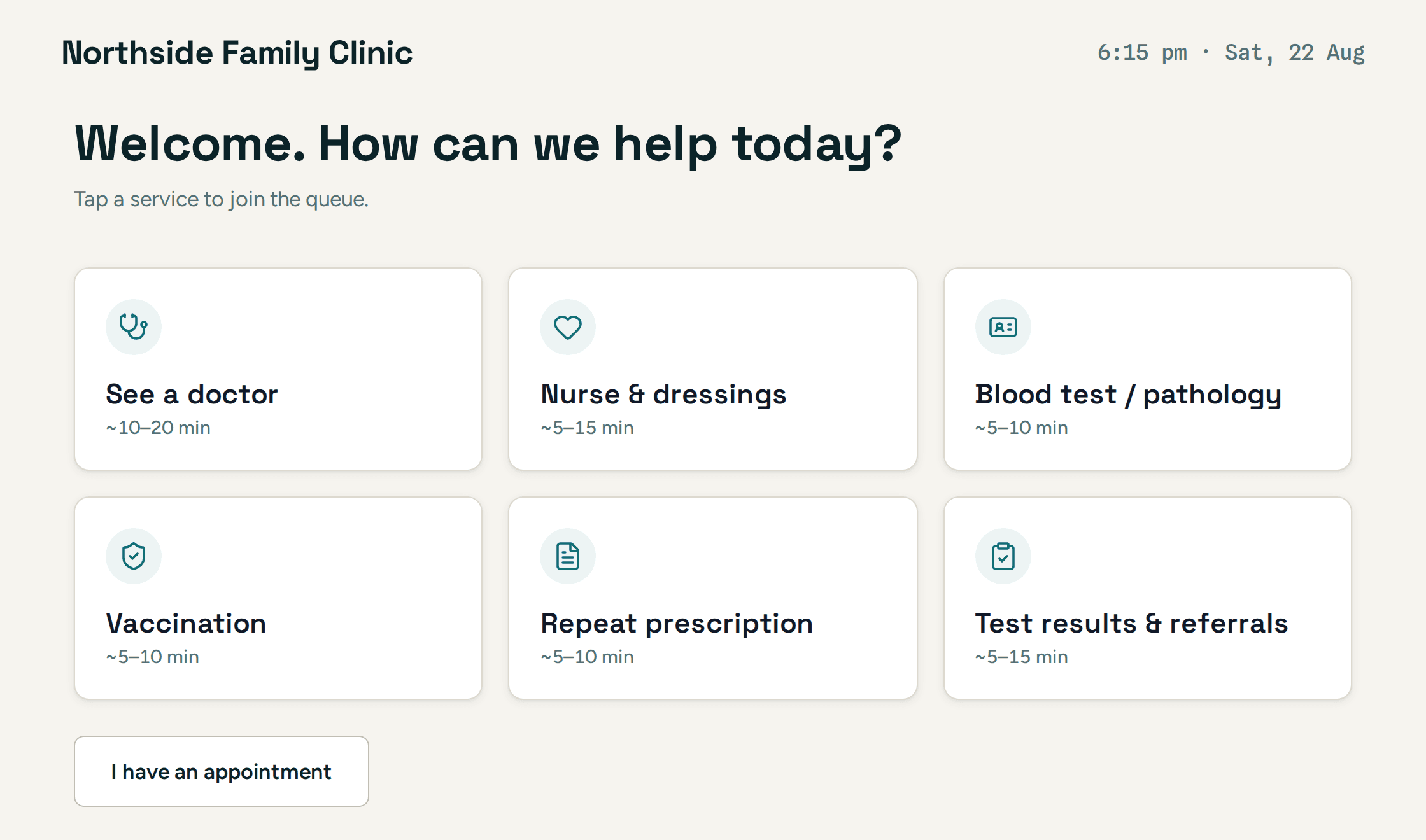
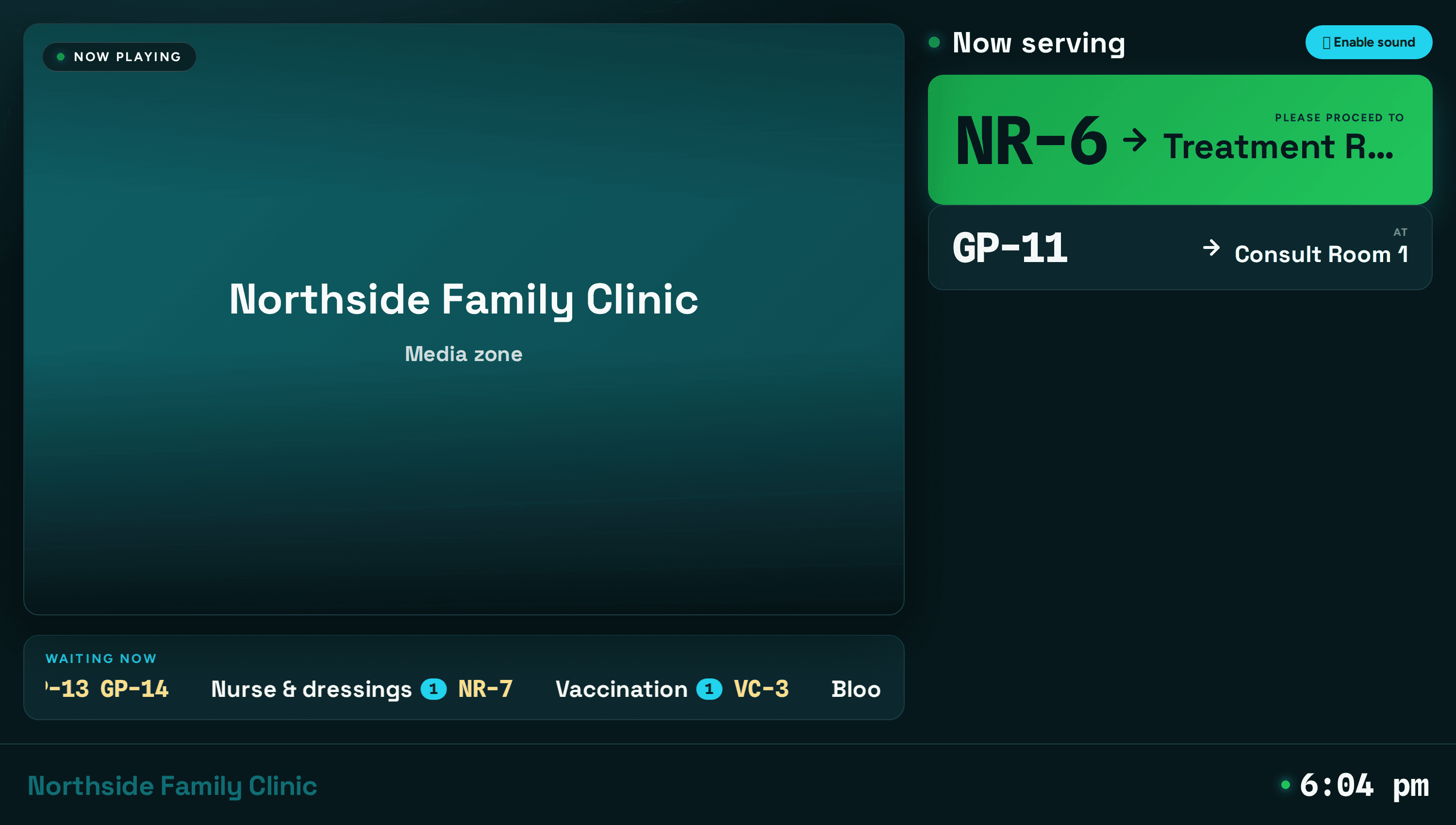
Patients check themselves in at a kiosk. The screen calls them to the right room, out loud. Your practice manager sees every queue, every room and every wait — without leaving the desk.
No card required · Nothing to install · Set up in an afternoon
Taps what they came for on the kiosk — or scans the QR at the door and joins from their phone.
Holds a live place in the queue: in the room, outside, or in the car with a text link.
Their token and room appear on the screen and are announced aloud.
The room marks them complete, and the visit lands in the day's numbers.
Every image below is the product running against a demonstration clinic.
One tap for what they came for, and reception stops being the bottleneck for every arrival. Booked patients tap “I have an appointment” and keep their priority without jumping the whole queue.
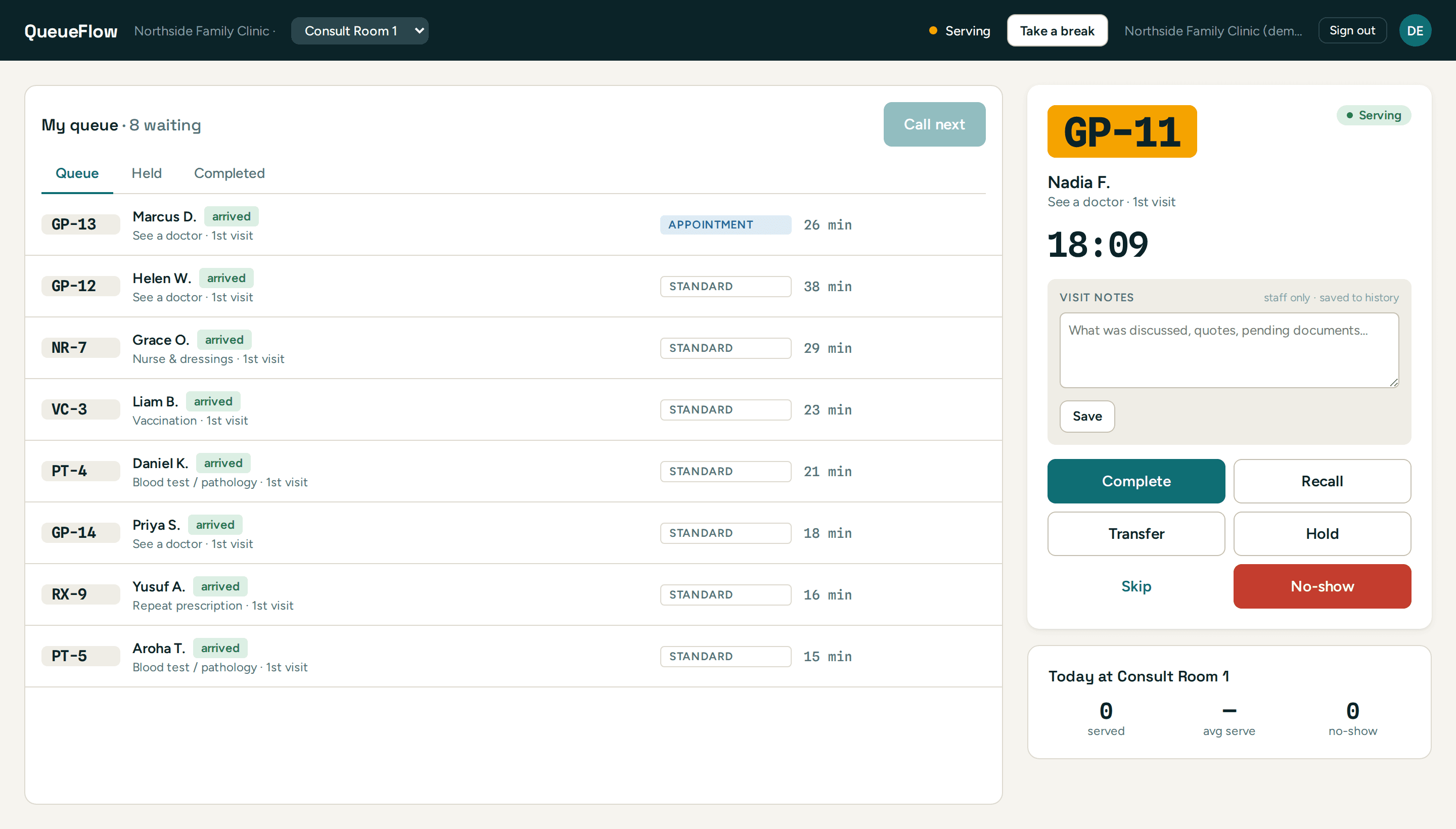
Call the next patient, or pick someone out of order when it matters. Notes stay with the patient for next time, and appointments are flagged so they are never lost among the walk-ins.
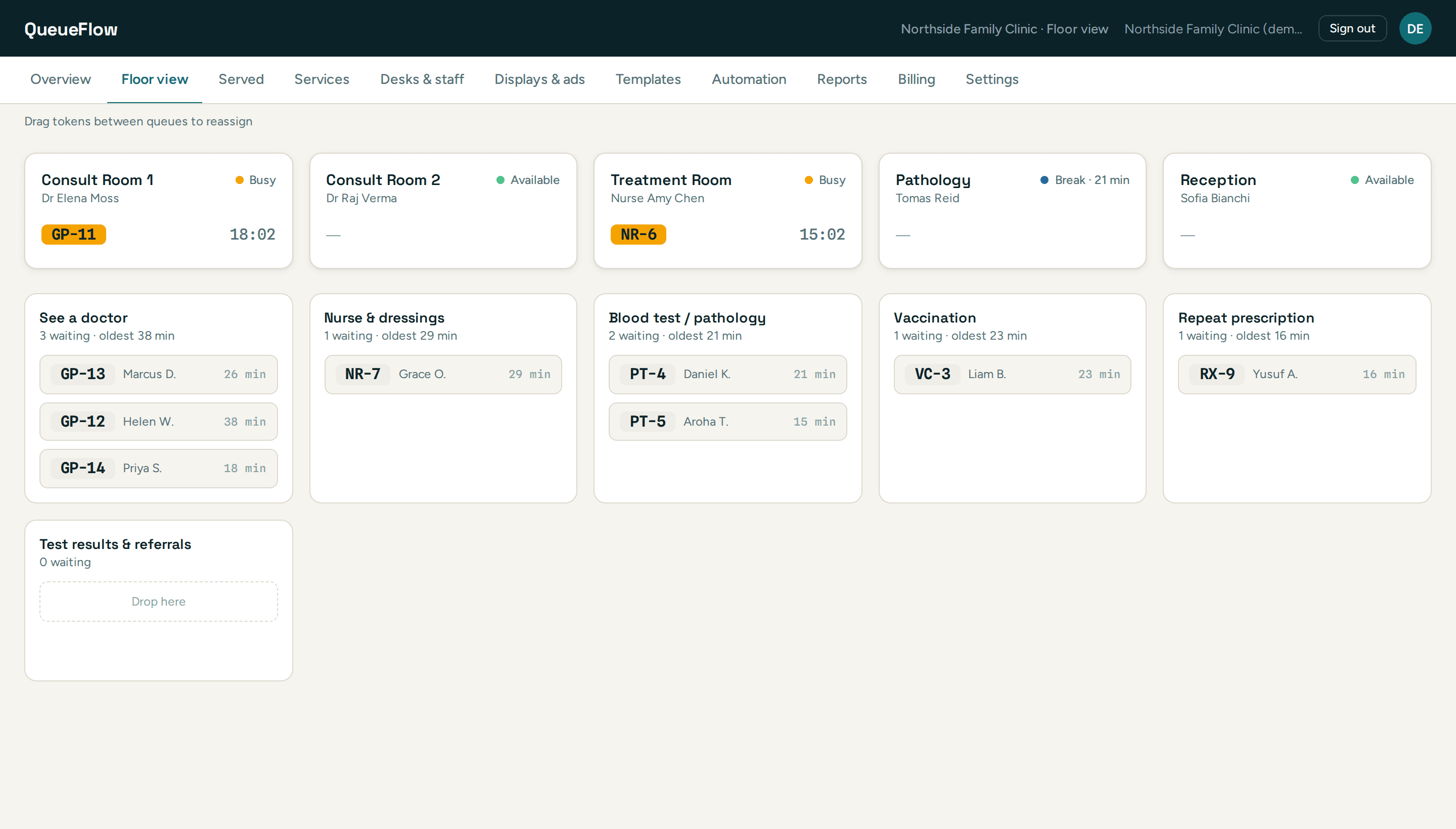
Every room and who is in it, who is on a break and for how long, and exactly how long each patient has been waiting — so you can move someone before they have waited an hour.
Open the kiosk on your phone and join the queue as a patient. Then watch the waiting room screen call you. No sign-up, no sales call — the same product, with patients already waiting.
Booked patients are called ahead of standard walk-ins without emptying the rest of the queue first.
Doctors, nurse, pathology, vaccinations, script pickups — each queue goes to the rooms that handle it.
Patients can wait outside or in the car and be called back by text, instead of crowding the room.
Arrivals stop interrupting the desk, so the person at the counter can finish what they are doing.
How many we saw, how long they waited, where the morning went — per person, and exportable.
Each clinic runs its own services, rooms and branding under one login.
Set up your services and rooms this afternoon, and take the first patient in the morning.